Initialization
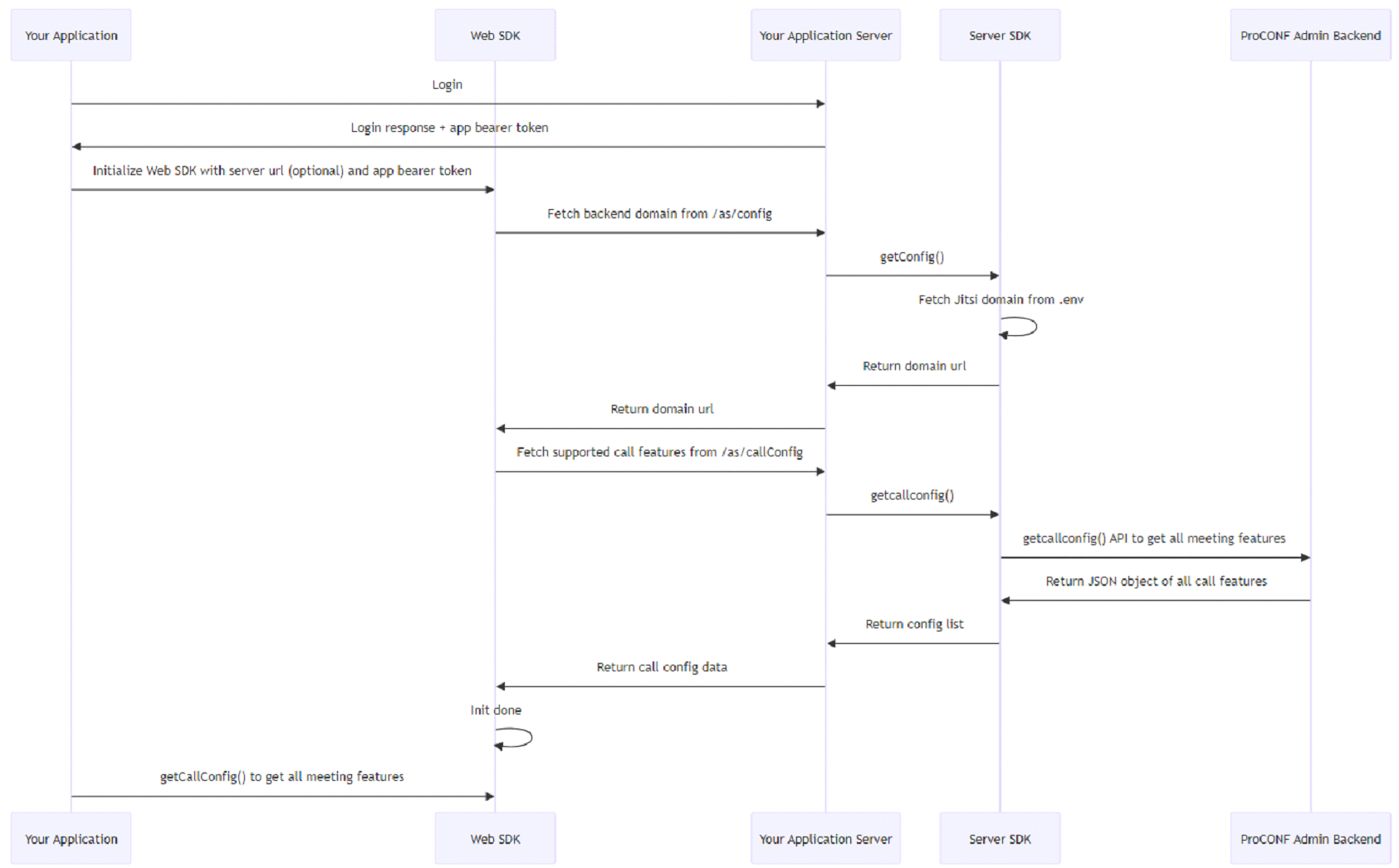
Prerequisites
To start using the ProCONF SDK in your apps, you need to perform a few basic tasks first.
- Set up proconf-web-sdk for local development - Check
How to set up ProCONF Web SDK - Import functions from ProCONF
import { func, namedobj, namedtype, ... } from 'proconf-web-sdk';
Getting Instance
To get started with using ProCONF functions in an app, the application needs to procure an instance of ProConfManager.
import { ProConfManager } from 'proconf-web-sdk';
const proconfManager = ProConfManager.getInstance();
The proconfManager variable will be able to access all the functions that are present in ProConfManager.
The next step is to initialize the ProCONF backend.
Get Application Bearer Token
Fetch the application bearer token which will be required to initialize the ProCONF WebSDK.
Initialize Client Library
To set up the backend server for the client side, follow these steps to invoke the init function from ProConfManager:
Required Parameters:
appBearerToken: This is the bearer token that contains authentication information about the feature in use. This token is to be fetched from the client application login API.
Optional Parameters:
appServerUrl: The deployment link of the client application server. If not specified, the WebSDK assumes that the application server is deployed in the same path as the client application.loglevel: This parameter controls the logging level and accepts one of the following values:debuginfowarnerrorsilent
pcStatsInterval: The stats polling interval for the ProCONF SDK.
const APP_SERVER_URL = 'https://yourappserver.com';
proconfManager.init({
  appServerUrl: APP_SERVER_URL,
  appBearerToken: TOKEN,
  loglevel: 'debug'
});